Mastering Dress-Up Dream Studio: Gameplay Overview, Tips & FAQ
Dress-Up Dream Studio is a fashion game for anyone who has ever stood in front of a wardrobe and thought, this needs something. There is no timer breathing down your neck for most of the session — you get two full minutes — and no wrong answers, only looks that score a little higher than others. Your model stands centre stage, and every button under the screen swaps one piece of her outfit: a new hairstyle, a different dress, a necklace, a hat, a pair of glasses. The fun is in the combinations, and the creativity score is there to nudge you toward trying the bold pairing instead of the safe one.
Independently tested and verified on gomen.my (Nov 2026). Sandboxed in modern HTML5 canvas with zero external app downloads, responsive input latency, and full cross-device compatibility.
What makes the studio work is that it rewards taste rather than speed. A look built from a single colour family scores well, but a look that mixes a warm dress with a cool accessory and somehow pulls it off scores even better, because the scoring notices contrast as well as matching. It is at its best when you stop chasing the perfect score and start building an outfit you would actually wear.
1. Core Gameplay Mechanics, Physics & Objectives
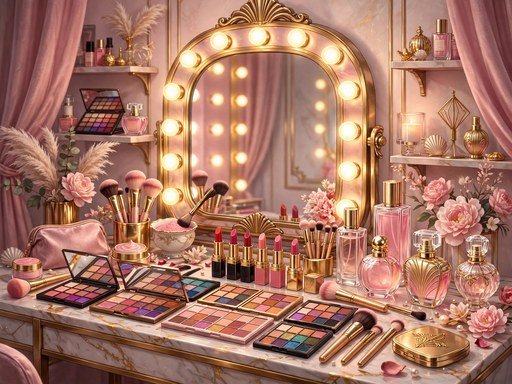
Designed for beauty and lifestyle enthusiasts, Dress-Up Dream Studio provides an intuitive, high-definition styling studio. The interface allows seamless layering of makeup shades, contouring highlights, and wardrobe combinations. The responsive canvas accurately renders vibrant pigments, glittering textures, and realistic fabric draping.
Whether preparing for a glamorous red-carpet premiere, a casual weekend getaway, or a fairy-tale royal gala, Dress-Up Dream Studio provides endless creative inspiration in an uplifting, family-safe digital environment.
2. Cross-Device Controls & Input Scheme (PC & Mobile)
Everything in Dress-Up Dream Studio is controlled with the buttons grouped under the stage. Each wardrobe category — Hair, Outfit and Accessory — has a left and right arrow that cycles through the options in that category, wrapping around when you reach the end. The buttons are large and finger-friendly, so the game plays exactly the same on a phone as it does on a desktop; tap an arrow, watch the model change instantly, and keep going. There is no dragging and no keyboard shortcut to learn, which keeps the whole experience relaxed and accessible.
Four action buttons sit beside the wardrobe controls. Rate My Look shows your current score without ending the session. Save Look stores the outfit in your browser. Share Look copies a short description of it to your clipboard. Finish Look ends the session and reveals your final score, and the pause button freezes the two-minute clock.
3. Top 5 Actionable Strategies for Mastering the Game
- Start with the outfit, not the hair. The dress sets the colour story for the whole look, so pick it first and then choose hair and accessories that either match it or contrast with it deliberately. Building backwards from a small accessory usually leads to a muddled result.
- Use Rate My Look as a compass, not a judge. Check your score after every two or three changes. If a swap drops the score by more than ten points, undo it; if it raises the score, keep it and build around it. The preview is free and unlimited.
- One statement piece beats three loud ones. A bold hat plus a chunky necklace plus bright glasses usually fights itself. Pick a single hero accessory and let the rest of the outfit support it, and the harmony bonus will thank you.
- Try the contrast pairings once per session. Warm gold against cool teal, soft pink against deep navy — the daring bonus rewards pairings that look risky on paper but work on the model. Spend thirty seconds testing one and you may find your highest score yet.
- Finish with a full minute to spare when you are happy. There is no bonus for using all two minutes, and a look you love at ninety seconds is better than a look you second-guessed into mediocrity. Press Finish Look while you still feel good about the outfit.
4. Player Progression, Reward Milestones & Longevity
The enduring charm of Dress-Up Dream Studio stems from its rich wardrobe collection and artistic unlock system. Completing creative makeover briefs unlocks rare vintage couture, seasonal designer collections, and exclusive makeup color swatches.
The integrated studio photo gallery enables players to archive, compare, and showcase their favorite runway designs, fostering a delightful space for artistic self-expression and endless fashion experimentation.
5. Helpful FAQ & Gameplay Insights
Q: How is the creativity score calculated?
A: The score combines completeness (choosing hair, outfit and accessories), colour harmony (colours that sit well together) and daring (bold contrast pairings that still work). A complete, well-matched look usually scores in the seventies, while a daring contrast can reach the nineties.
Q: Do I have to finish within the two minutes?
A: The styling clock runs for two minutes, and when it reaches zero your current look is scored automatically. You can also press Finish Look at any time to end the session early with the look you have.
Q: Can I save my favourite look?
A: Yes. Press Save Look and the outfit is stored in your browser on that device. The next time you open the studio, your saved look is shown so you can rebuild it or use it as a starting point.
Quick Controls Guide
Use the buttons below the stage to change hair, outfit and accessories, then hit Finish Look.