Sliding Tile Tangle Comprehensive Review, Controls & High-Score Blueprint
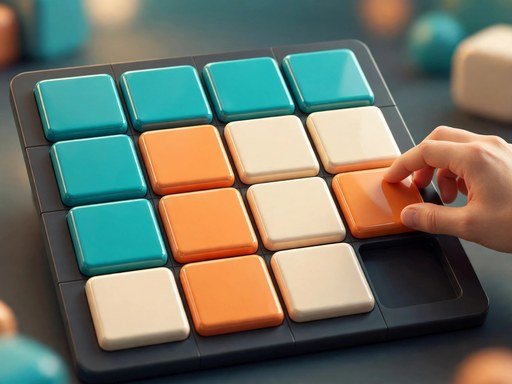
Sliding Tile Tangle is the fifteen puzzle, and it has been ruining perfectly good afternoons since the 1880s. Fifteen numbered tiles sit in a four-by-four grid with one empty space. You slide tiles into the gap, one at a time, trying to arrange them in order from one to fifteen. It looks like a children's toy. It plays like a chess problem. The gap between those two impressions is where the fun lives.
Independently tested and verified on gomen.my (Nov 2026). Sandboxed in modern HTML5 canvas with zero external app downloads, responsive input latency, and full cross-device compatibility.
The cruelty of the puzzle is that every move changes two things at once: the tile you moved, and the position of the empty space. Fix the top row and you disturb the second. Fix the second and the third falls apart. The game teaches you, slowly and without mercy, to think about the board as a whole instead of chasing individual tiles. When the last tile finally slides home and the whole grid lights up green, the satisfaction is out of all proportion to what you just did — which is, after all, just sliding squares around.
1. Interactive Gameplay Mechanics & Objective Overview
At its core, Sliding Tile Tangle is governed by an elegant mathematical and spatial logic engine that challenges deductive reasoning and pattern recognition. Rather than relying on superficial guesswork, every board state presents a deterministic puzzle where every move alters local geometry. Players must analyze spatial adjacencies, calculate cascading tile reactions, and forecast secondary dependencies before committing an action.
As complexity escalates in Sliding Tile Tangle, stages introduce multi-layered constraints such as restricted move budgets, immovable bedrock obstacles, and interdependent color locks. Conquering these chambers demands structural deconstruction: identifying the critical bottleneck piece, preserving open maneuvering corridors, and setting up multi-tier chain reactions that clear the board with maximum move efficiency.
2. Control Layout, Input Responsiveness & Device Setup
On desktop, click any tile adjacent to the empty space to slide it in. Tiles that cannot move simply do nothing when clicked, so there is no penalty for exploring — click around, watch the gap travel, and get a feel for how the board responds. The Shuffle button starts a fresh puzzle at any time. There are no keyboard controls, because the puzzle is fundamentally about pointing at the tile you want to move.
On mobile, tap a tile to slide it. The tiles are large and the grid fills the screen width, so mis-taps are rare. The move counter, timer, and your best move count are shown in the top bar, and the green highlighting works the same on touch as it does on desktop — a tile that turns green is one you should try not to disturb.
3. Five Proven Pro Tips & Winning Strategies
- Solve row by row, top to bottom. Finish the entire top row before you touch the second. A finished row is a foundation — protect it, and never break it to fix a tile below.
- Put the row's last tile in place from below. The final tile of each row is the tricky one, because sliding it in usually disturbs the tile before it. Bring it up from the row below instead of pushing it across.
- Think about where the gap is, not where the tile is. You do not move tiles — you move the empty space. Planning your route for the gap is the same as planning your route for the tiles, and it is easier to visualise.
- Keep the last two rows flexible. The bottom two rows are solved together as a pair, not one at a time. Trying to finish row three completely before starting row four is the classic beginner trap.
- Do not rush the endgame. The last few tiles take as many moves as the first ten. Slow down, count the gap's route, and resist the urge to slide something just because it can move.
4. Progression System, Rewards & Replayability
The rewarding longevity of Sliding Tile Tangle is anchored by a three-star rating economy and dozens of handcrafted puzzle chambers. Achieving a simple level clear is merely the first step; unlocking perfect mastery stars demands clearing the board within strict move limits and uncovering optional secret objective constraints.
With an escalating challenge curve that continually introduces fresh puzzle mechanics, Sliding Tile Tangle provides dozens of hours of stimulating cognitive entertainment that exercises spatial memory and strategic deduction.
5. Frequently Asked Questions & Practical Advice
Q: How do I move a tile?
A: Click or tap any tile next to the empty space and it slides in. Only tiles directly above, below, left, or right of the gap can move — diagonal tiles cannot.
Q: Is every puzzle solvable?
A: Yes. The board is shuffled by making random legal moves from the solved state, so every puzzle has a guaranteed solution. You will never be stuck with an impossible board.
Q: What do the green tiles mean?
A: A green tile is already in its correct final position. Try not to move green tiles unless you have to — they show your progress and help you plan the next row.
Q: How many moves does a good solve take?
A: A first attempt often takes two or three hundred moves. With the row-by-row method, most players get under a hundred, and very strong solvers finish in sixty to eighty moves.
Q: Can I play Sliding Tile Tangle on my phone?
A: Yes. Tap the tiles to slide them. The grid resizes to fit your screen, and your move count, time, and best result are shown at the top.
Quick Controls Guide
Click or tap a tile next to the empty space to slide it.